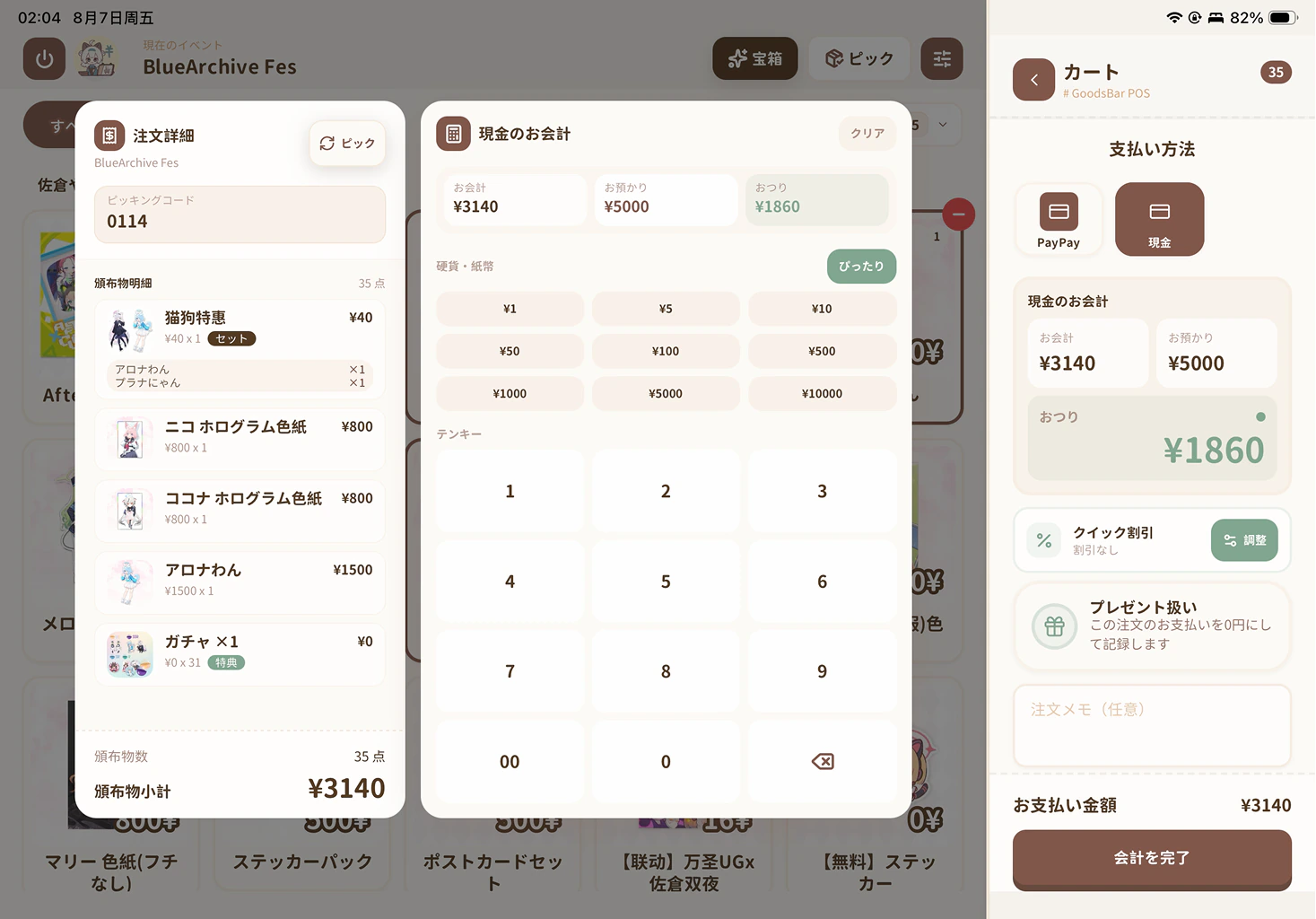
Add merch without the busywork
Use the local PC editor as easily as a spreadsheet, or import a CSV to bring in your existing catalog and stock.
A POS and inventory app for artist alley and convention sellers on iPhone, iPad and Android phones and tablets. Prepare your merch, run checkout offline, and review sales after each show.
Set up your first order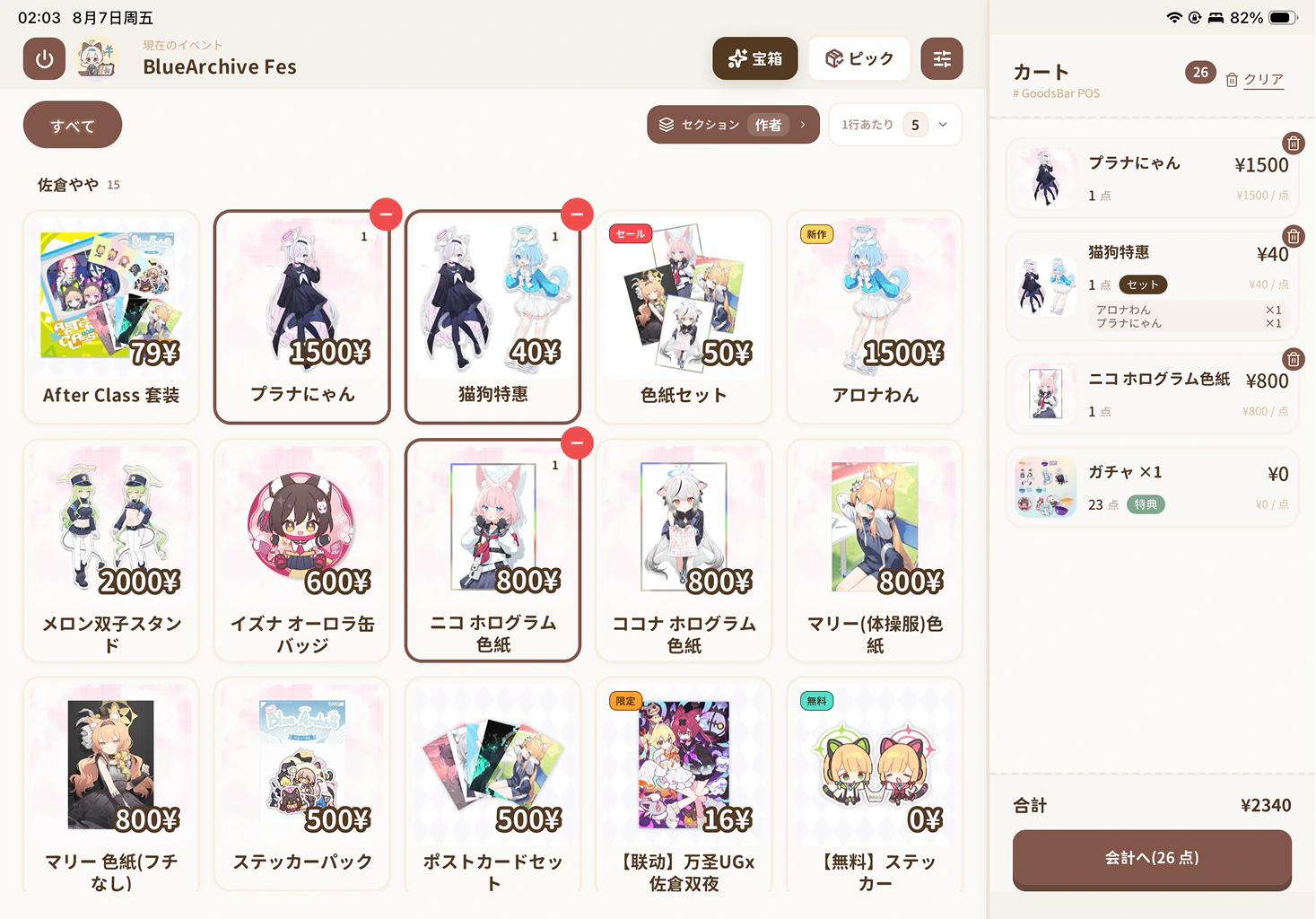
Features
First event? You've got this. GoodsBar keeps the fiddly numbers tidy, so you can focus on selling.
Use the local PC editor as easily as a spreadsheet, or import a CSV to bring in your existing catalog and stock.
Tap the items, let GoodsBar total the order, then show a payment QR or work out change. Keep checkout moving on your phone or tablet.
Each sale updates stock automatically and warns you when something is running low. Sales reports are ready as you go, with CSV export when you need it.
Designed to match your booth
Choose your own color palette, with more themes coming over time.
Set up each event with individual items, variants, bundles, and spend-and-get gifts—all in one place.
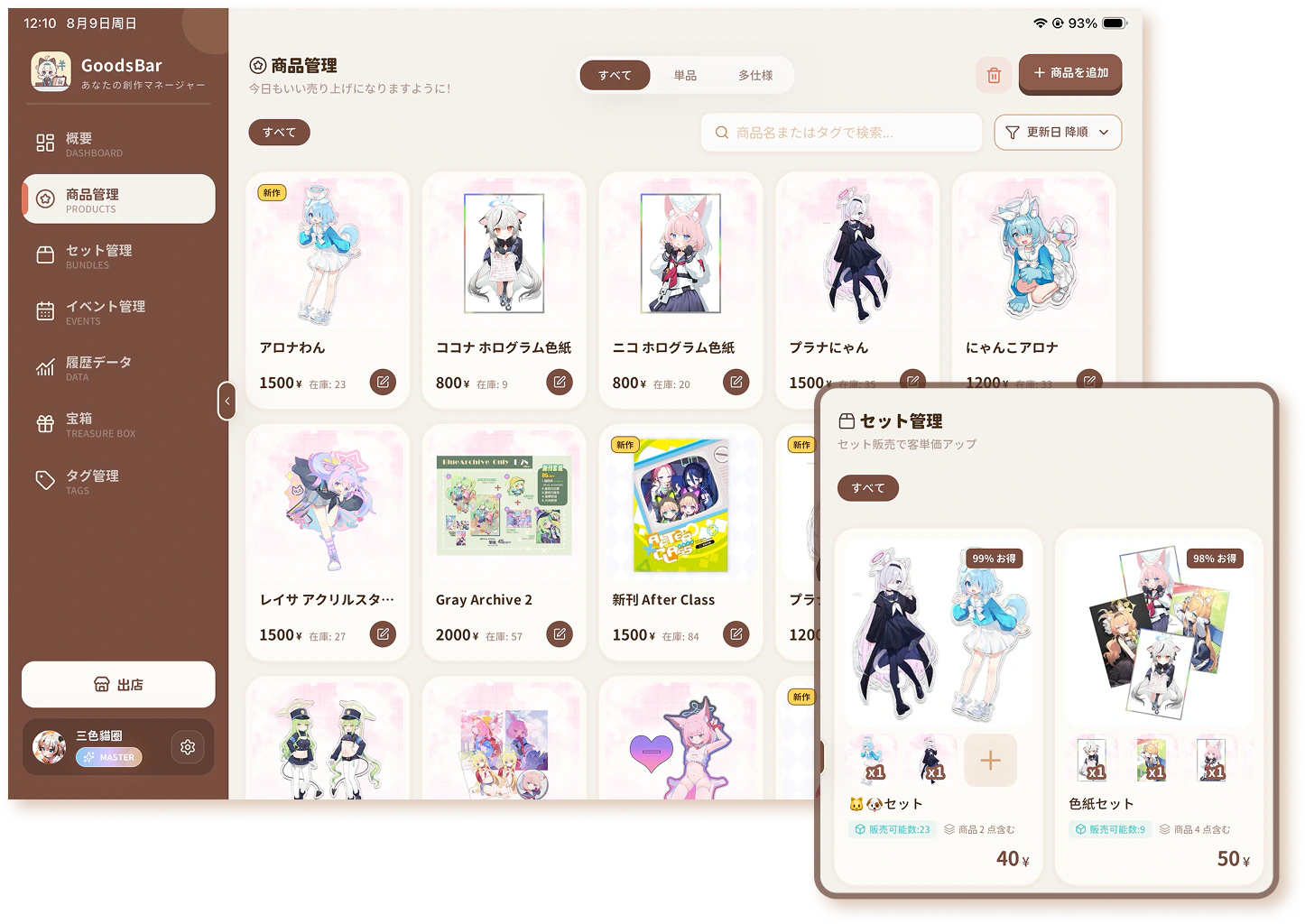
Organize the screen your way, choose a typeface, mark an order as a gift, or add a discount in one tap—no calculator needed.
See what sold, check sales splits, and look back at past events in one place.
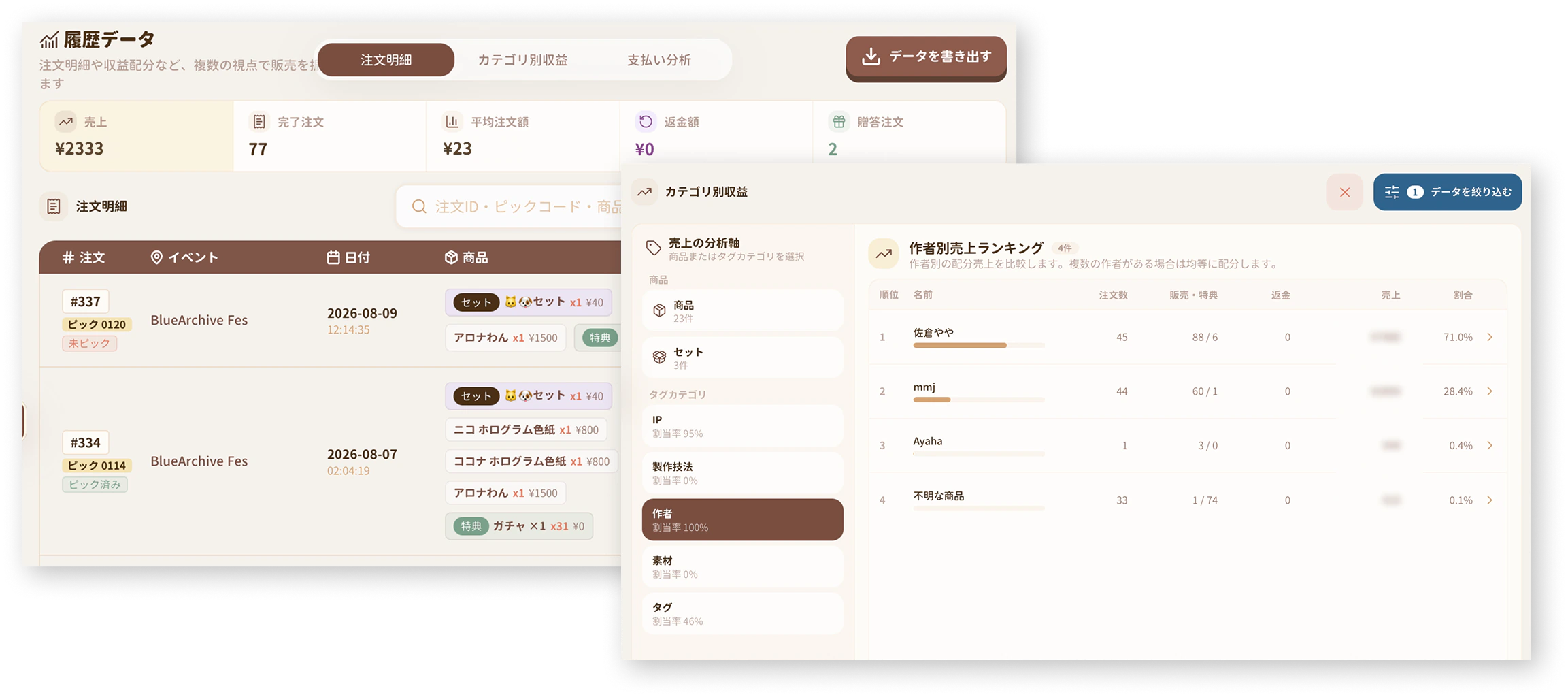
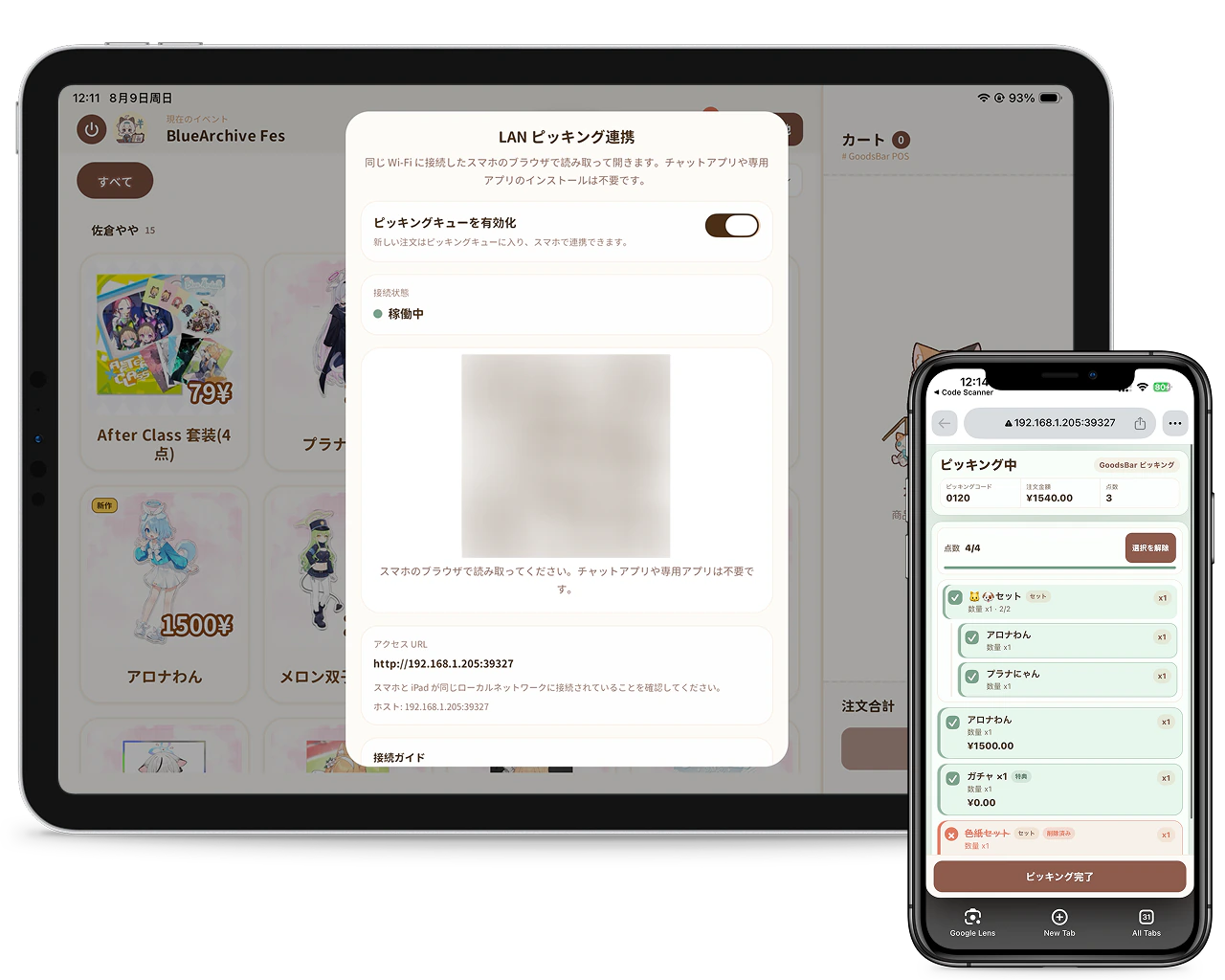
A closer look at collaborative picking
Take orders at the counter while a teammate picks on their phone. It stays simple when you're solo, and clear when someone jumps in to help.
Choose your checkout setup and take a practical checklist to the event.
Plan checkout on iPhone, iPad or Android for your artist alley table: event stock, linked merch bundles, cash or external payments, picking and end-of-show sales checks.
Read the guideA printable artist alley checklist for merch sellers, with packing counts, payment rehearsal, booth roles and a worked example for reconciling closing stock.
Read the guidePractical guides for your first convention and every event after it.
Create a convention event, choose the products you are bringing, and set stock for this show. Reuse your catalog across events.
Read the guideCombine prints, pins, or other merch into a bundle. Set its price and quantities, and track availability from the stock of its components.
Read the guideUse GoodsBar on iPhone, iPad or Android to check items, variants, quantities and configured gifts, then record an order. Core checkout works offline.
Read the guideRun checkout on your phone or tablet and use another phone's browser for picking. Connect both to the same local network and check items before handover.
Read the guideReview event revenue, sales by product, and creator settlement. Check your booth results after the show and export data for your records.
Read the guideBring product names, prices, and stock into GoodsBar from a spreadsheet. Match the supported CSV columns and check a small sample before importing.
Read the guideMade to stay affordable
For about the price of one button pin, every booth day can run a little smoother.
For creators with a smaller catalog who want the essentials for managing merch and running a booth.
Unlock every feature, including future updates—best for regular sellers and long-running shops.
iPhone and iPad
Manage merch, inventory and checkout on your iPhone or iPad.
Android phones and tablets
Use GoodsBar inventory and checkout on an Android phone or tablet.
Join the betaBrowser collaboration
Let a teammate pick orders in a phone browser while you run checkout.
FAQ
Offline use, getting paid, managing merch, and checking your numbers.
View all questionsThe core on-device product, stock, and order flow can continue. QR, transfer, and card payments still depend on their services; picking devices still need the same LAN.
Ready for your next event?
Try GoodsBar and keep your merch, stock, and orders organized with less effort.